| September 30, 2026
 South Africa's #1 Mobile Protection Brand
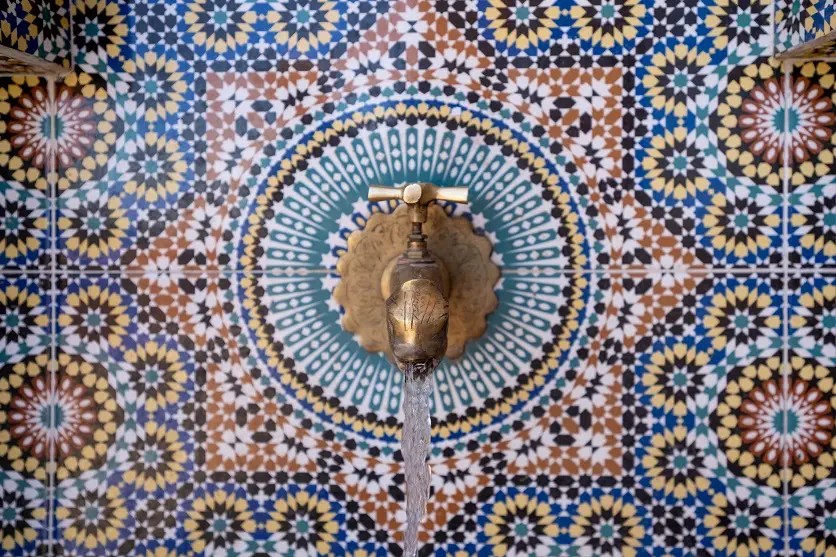
Aspect ratio sounds like a technical footnote, a pair of numbers describing a photo's width and height. In practice, it is one of the quickest ways to change how an image feels. The right shape can make a landscape feel vast, a portrait feel intimate or a pattern feel bold. Many photographers never touch the default setting, so this guide explains what is aspect ratio, which recommended photo aspect ratios suit which subjects, and how to change it.
Aspect ratio in practice
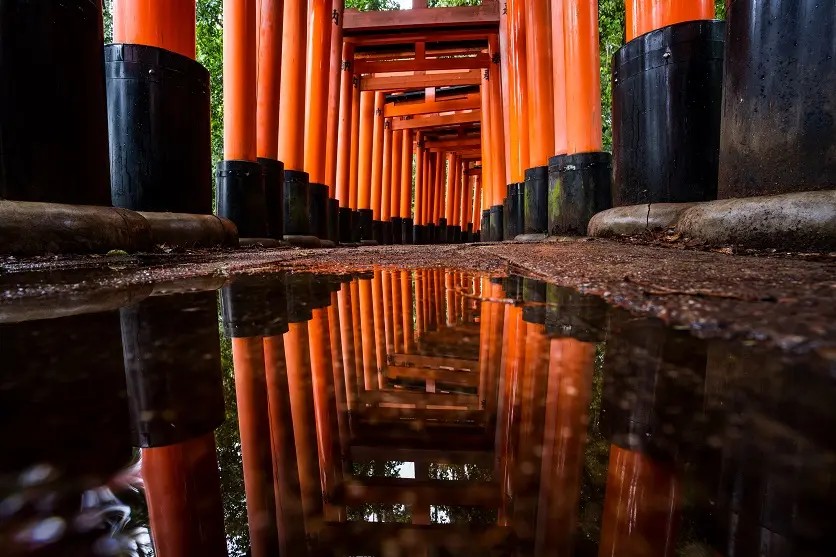
TAMRON 17-28mm F2.8 (Model A046) | Focal length: 17mm | Exposure: F7.1 | Shutter Speed: 0.4sec | ISO: 100
Aspect ratio describes the relationship between a photo's width and its height, written as width:height – for example, 3:2 or 16:9. It tells you the shape of the frame, not how many pixels it contains or how large it will print. A tiny thumbnail and a wall-sized print can share exactly the same aspect ratio.
Most full-frame and APS-C interchangeable-lens cameras default to 3:2. The ratio dates back to 35mm film, whose 36 × 24 mm frame has the same proportions, and it remains a versatile shape that suits a wide range of subjects.
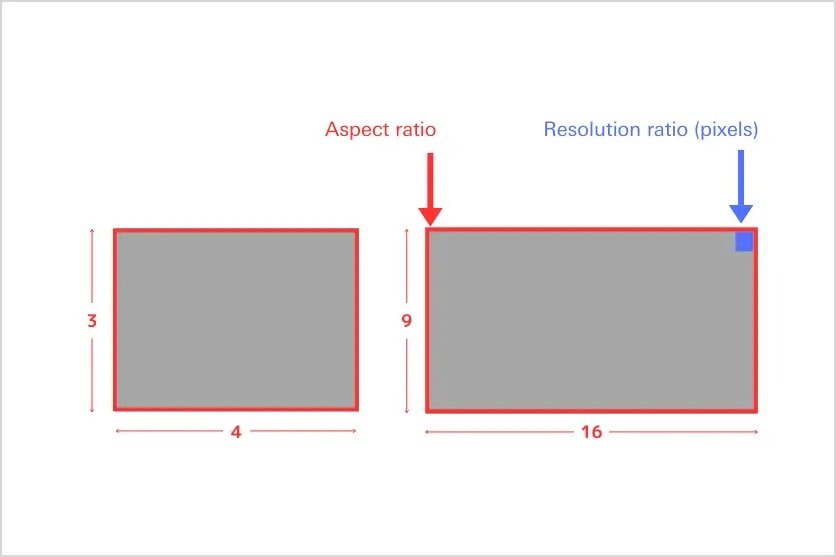
Aspect ratio and resolution are easy to confuse, but they describe different things. Aspect ratio is the shape of the image; resolution is the number of pixels in it. An image of 1920 × 1080 pixels and one of 3840 × 2160 pixels are both 16:9, yet the second contains four times as many pixels, with double the resolution in each direction. Raising or lowering resolution leaves the aspect ratio unchanged.
There is also a more technical term, pixel aspect ratio, which describes the shape of the individual pixels in an image as it is stored and displayed. For digital still photos it is almost always 1:1, meaning square pixels, although some video formats use non-square pixels that are stretched into shape on playback.
An aspect ratio is more than a measurement: it shapes how the viewer reads a photograph. Here are the most common ratios and the impression each one tends to create.
A 3:2 frame
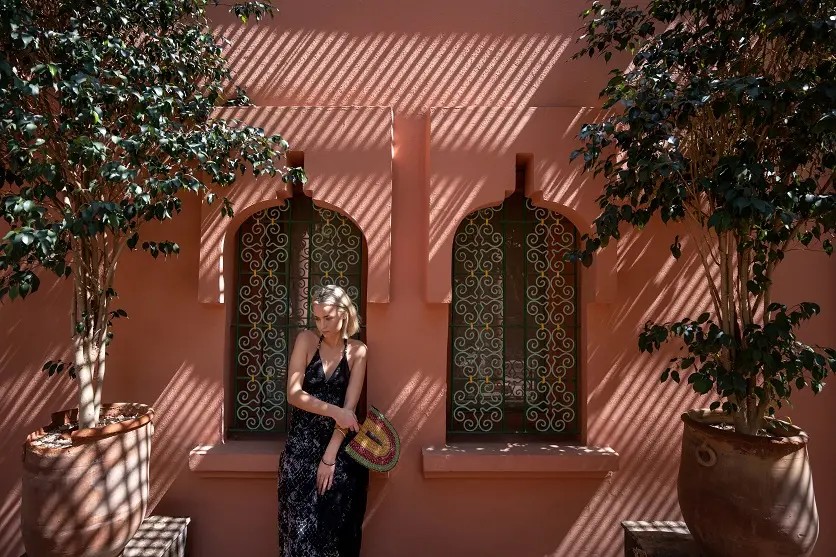
TAMRON 17-28mm F2.8 (Model A046) | Focal length: 17mm | Exposure: F2.8 | Shutter Speed: 1/640sec | ISO: 100
The 3:2 aspect ratio carries on from 35mm film and remains the standard setting on most cameras with larger sensors. The frame is 1.5 times as wide as it is tall, giving a gently horizontal shape. The 17mm focal length used here corresponds to about 11mm on an APS-C camera. The APS-C figures in this guide use a 1.5× crop factor; Canon APS-C bodies use 1.6×, so their equivalents are slightly shorter.
Its balance and versatility make 3:2 an easy frame to work with. It handles landscapes, portraits and everyday snapshots equally well, whether you are catching a moment on a Johannesburg street or framing a wide view, and beginners rarely find it awkward to compose in. It also matches the most common print size exactly: a 10 × 15 cm print (often sold as 4 × 6) is precisely 3:2, so your photos print full-frame with no cropping.
The 4:3 aspect ratio is common on many compact and smaller-sensor cameras, and it is also the default for most smartphone cameras. It is a little closer to square than 3:2, which makes it easy to build stable compositions with a calm, settled feel.
It suits architecture and still life particularly well, holding the subject in a balanced frame – think of the Victorian cottage fronts in Cape Town's older suburbs, or a bowl of naartjies on a kitchen table. Turned vertically, 3:4 is ideal for head-and-shoulders portraits, as it leaves little wasted space above the head or below the shoulders and gives a natural-looking composition.
The 16:9 aspect ratio is the familiar widescreen shape of televisions, monitors and most video, and it brings a cinematic, strongly horizontal feel to stills. It works beautifully for broad landscapes, such as the sweep of coastline and sea along the KwaZulu-Natal north coast, and for subjects that sit side by side, like a row of colourful beach huts on the False Bay coast. It is not as extreme as a panorama, but its width still conveys a real sense of space.
16:9 is also the natural choice for images shown on horizontal screens, including social media cover images and YouTube thumbnails. Because it is the standard for most video, keeping your stills at 16:9 when you shoot both photos and video makes editing them together far simpler.
A 1:1 aspect ratio is a perfect square. It became widespread with the rise of smartphones and social media, Instagram in particular. A square frame naturally draws the eye to the centre, making it ideal for symmetry and geometric patterns – a protea head photographed from directly above, for instance, with its bracts radiating evenly outwards. It suits photographers who want to put the subject front and centre and prefer a clean, simple style.
Once you understand aspect ratio, the next step is to consider how it interacts with composition. Here is how some of the most popular compositional approaches work with different frame shapes.
Rule of thirds
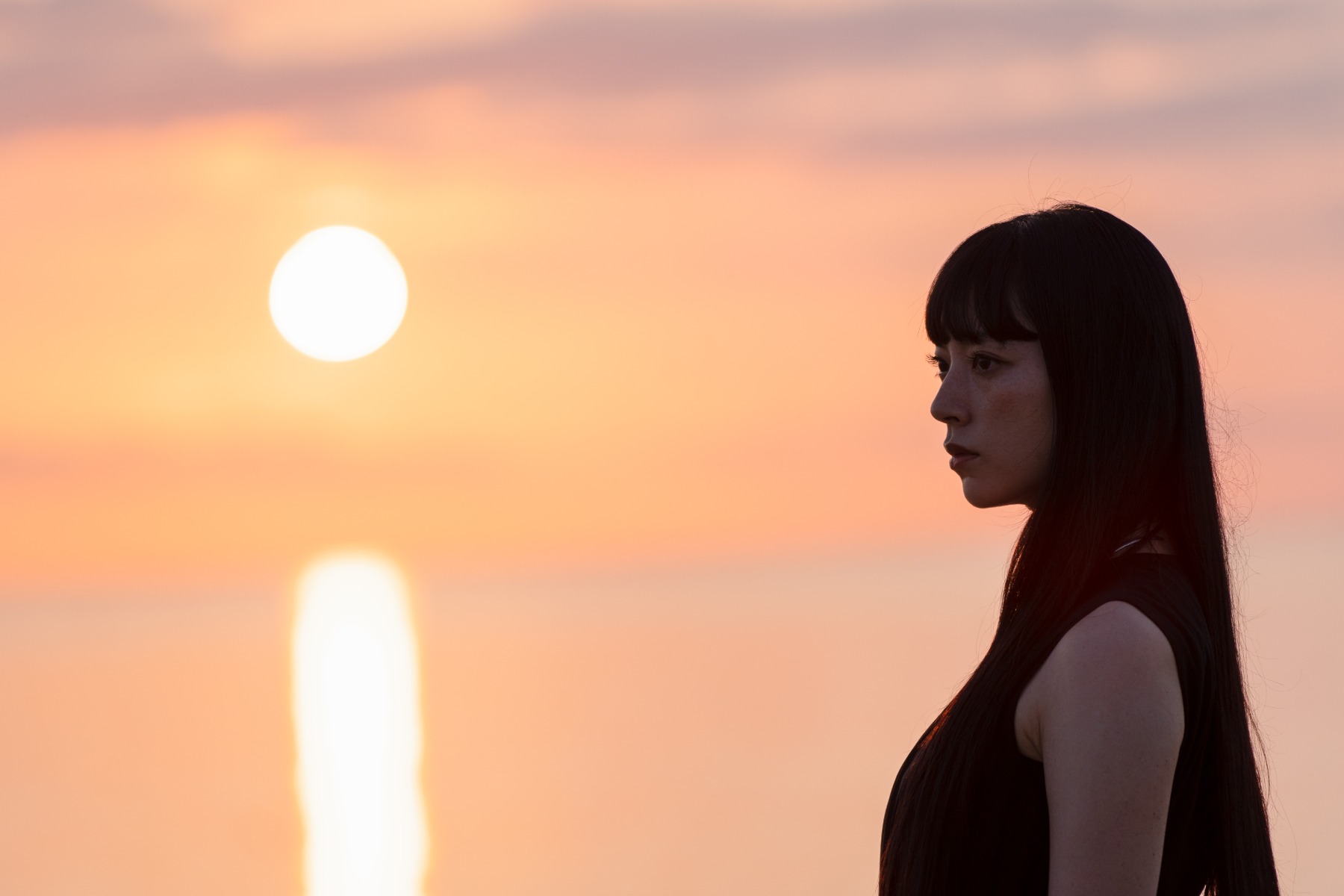
TAMRON 35-150mm F2-2.8 (Model A058) | Focal length: 150mm | Exposure: F2.8 | Shutter Speed: 1/640sec | ISO: 100
The rule of thirds divides the frame into three equal parts horizontally and vertically, then places the key subject on one of the lines or at one of the four points where they meet. Its great strength is that it produces balanced images in almost any situation and works with every aspect ratio. It is easy for beginners to apply, and most cameras and smartphones can display a thirds grid on screen while you shoot. In a landscape, for example, placing a Highveld horizon on the lower third line gives the storm clouds building above it room to dominate the frame. At 150mm, this frame corresponds to about 100mm on APS-C.
Diagonal composition

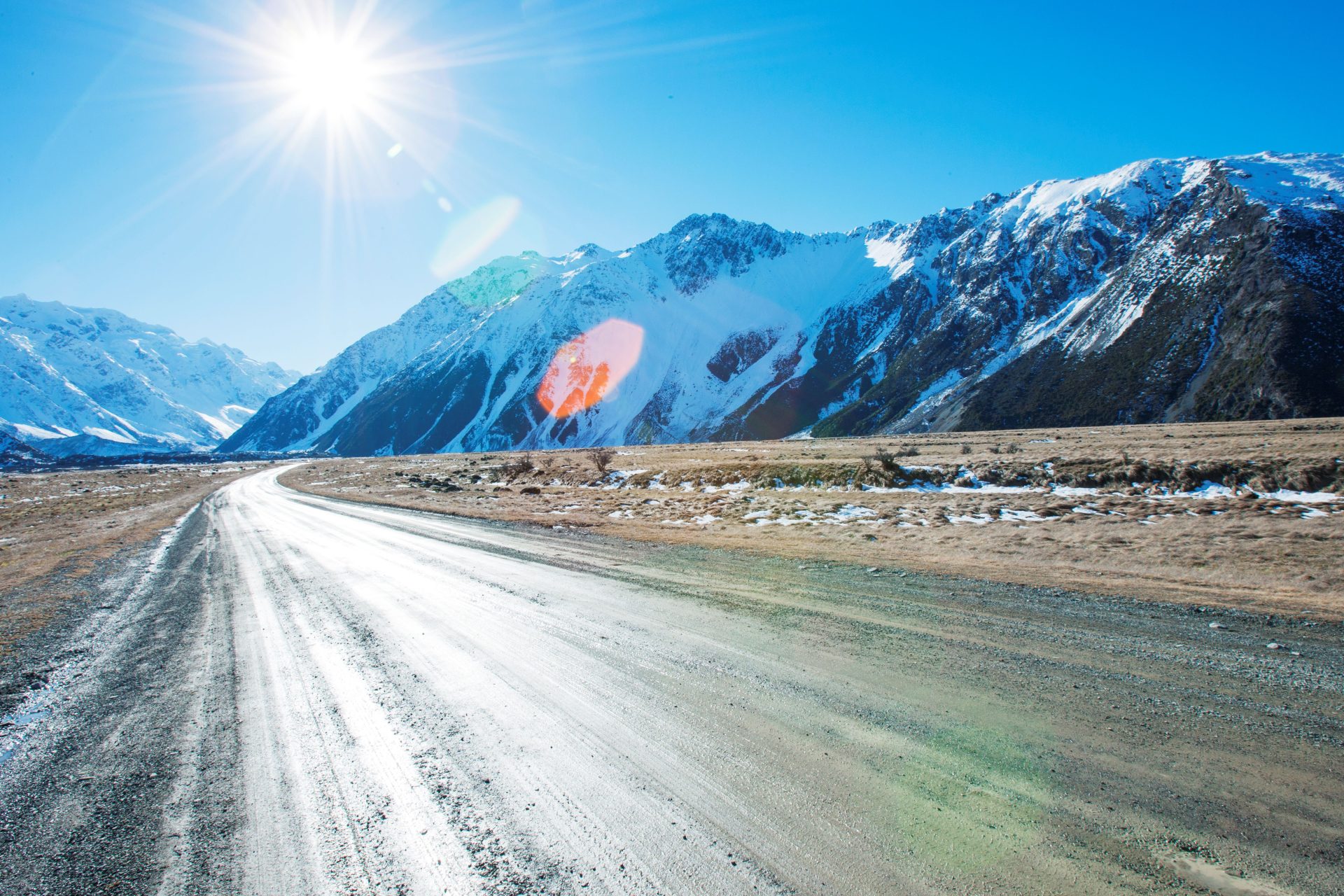
TAMRON 17-28mm F2.8 (Model A046) | Focal length: 28mm | Exposure: F5 | Shutter Speed: 1/200sec | ISO: 100
A diagonal composition arranges the subject along the lines that run between the corners of the frame, adding movement and depth – a mountain pass road cutting diagonally through the Winelands is a classic example. In rectangular ratios such as 3:2 and 4:3, the diagonals slope more gently, leading the eye through the scene naturally. In a 1:1 square, the diagonals run at exactly 45 degrees, which gives the effect far more punch. The 28mm framing used here equates to about 19mm on APS-C.
Centred composition
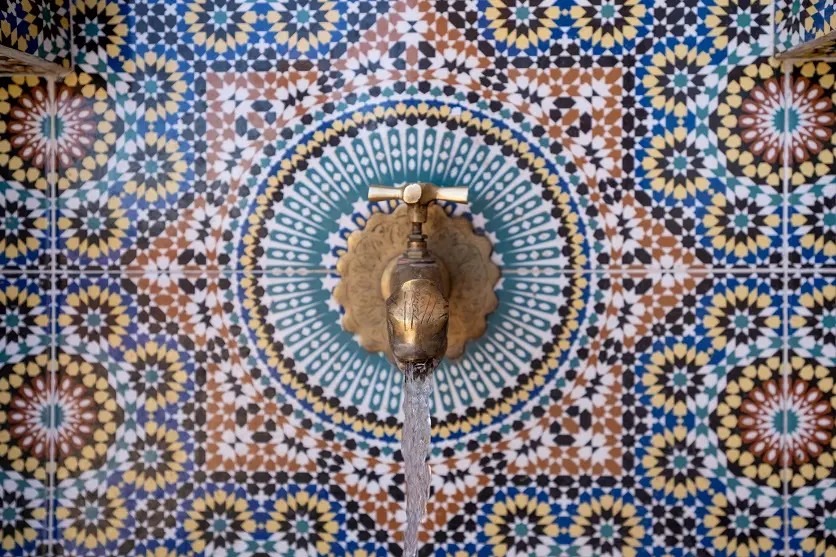
TAMRON 17-28mm F2.8 (Model A046) | Focal length: 28mm | Exposure: F2.8 | Shutter Speed: 1/400sec | ISO: 100
A centred composition places the subject in the middle of the frame. It is simple and direct, and it pairs especially well with a 1:1 square. Use it when you want the subject's presence, or a regular geometric pattern, to speak for itself – a single vygie bloom in close-up, for example, or a straightforward portrait.
The challenge is to avoid a photo that looks as though the subject has simply been dropped in the middle. Pay attention to the background: blurring it or choosing a clean, uncluttered backdrop makes the subject stand out far more strongly.
Leaving your camera on its default setting works perfectly well most of the time, but adjusting the aspect ratio to suit your main subject opens up new creative possibilities. Here are some pointers for common subjects.
Landscape photography
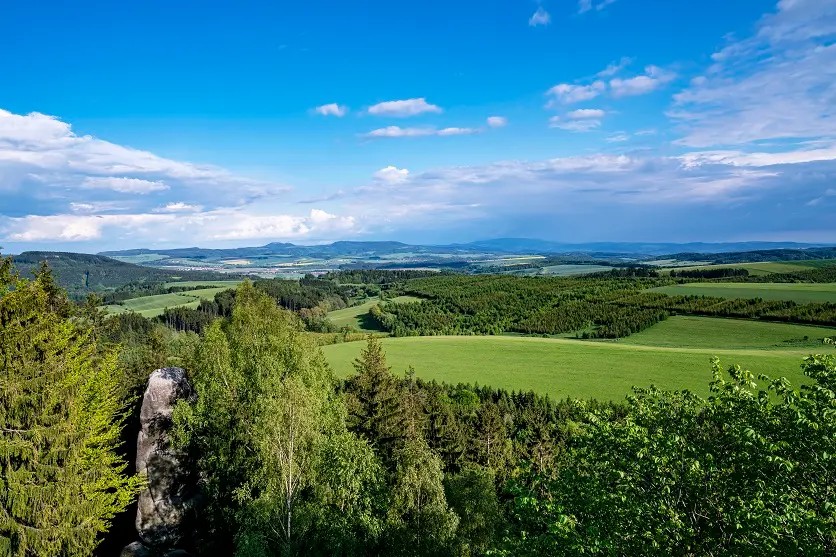
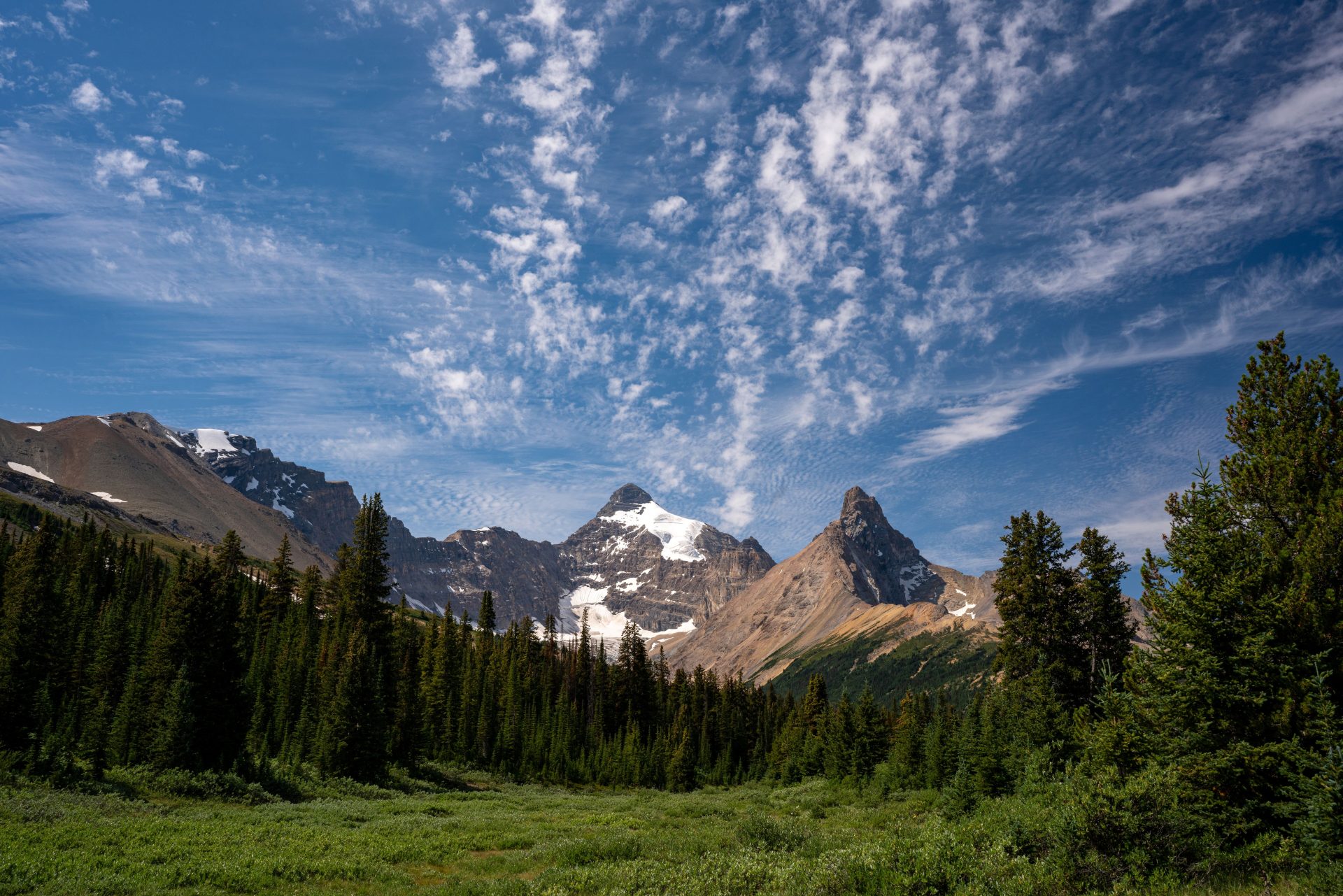
TAMRON 17-28mm F2.8 (Model A046) | Focal length: 25mm | Exposure: F8 | Shutter Speed: 1/500sec | ISO: 200
Landscape photography is about conveying the scale and beauty of the natural world, and wider frames such as 16:9 or 3:2 usually serve it best. A wide shape emphasises the reach of a mountain range or the expanse of the ocean. For an even broader view, try a panoramic ratio such as 2:1 or 3:1, which does justice to a scene like the long line of the Drakensberg escarpment. The 25mm focal length here corresponds to about 17mm on APS-C.
Portrait
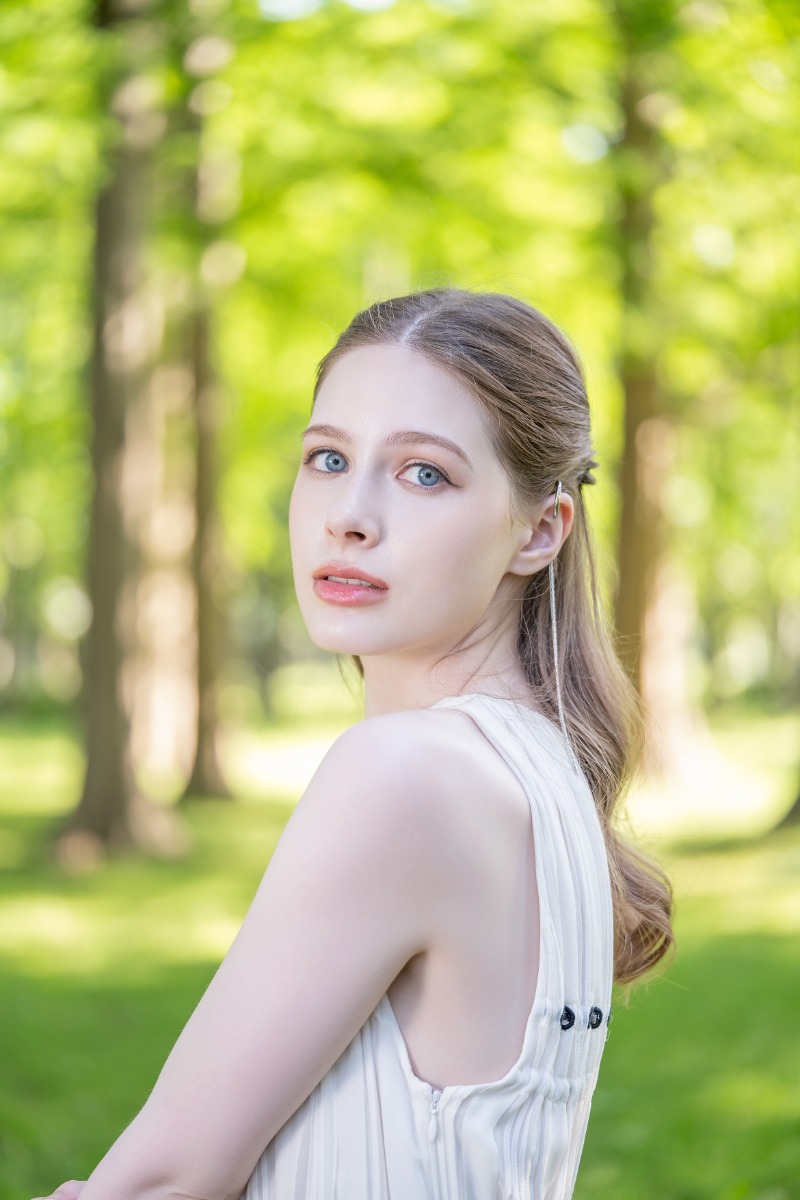
TAMRON 90mm F2.8 MACRO (Model F072) | Focal length: 90mm | Exposure: F3 | Shutter Speed: 1/160sec | ISO: 200
For full-length or upper-body portraits, vertical ratios of 2:3 or 3:4 are the usual choice. A vertical frame follows the natural line of the body and cuts out distracting background, keeping attention firmly on the person – ideal for a portrait under Pretoria's jacarandas in spring. For a tight close-up of the face, a 1:1 square is an effective way to concentrate on expression and emotion. At 90mm, this frame equates to about 60mm on APS-C.
For groups, or when the setting is part of the story, a horizontal 3:2 or 16:9 frame usually works better, giving room for everyone gathered around a braai along with the surroundings.
Buildings and architecture
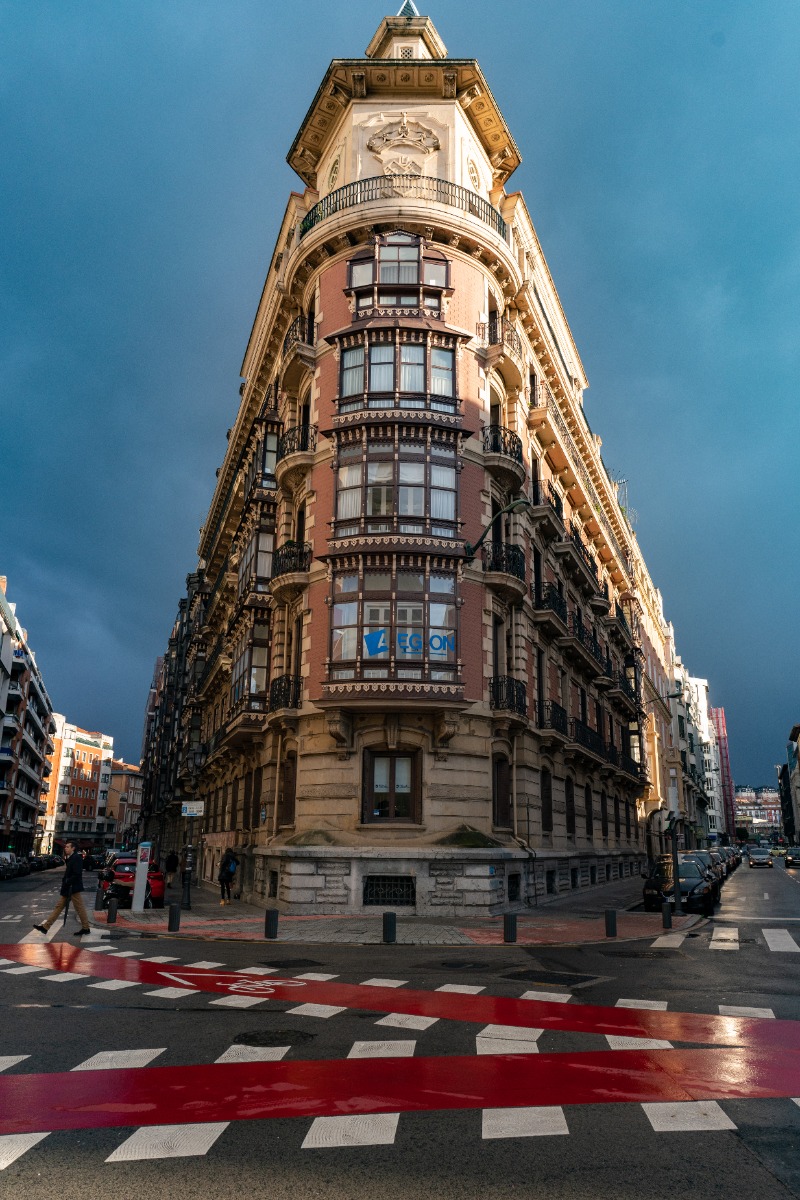
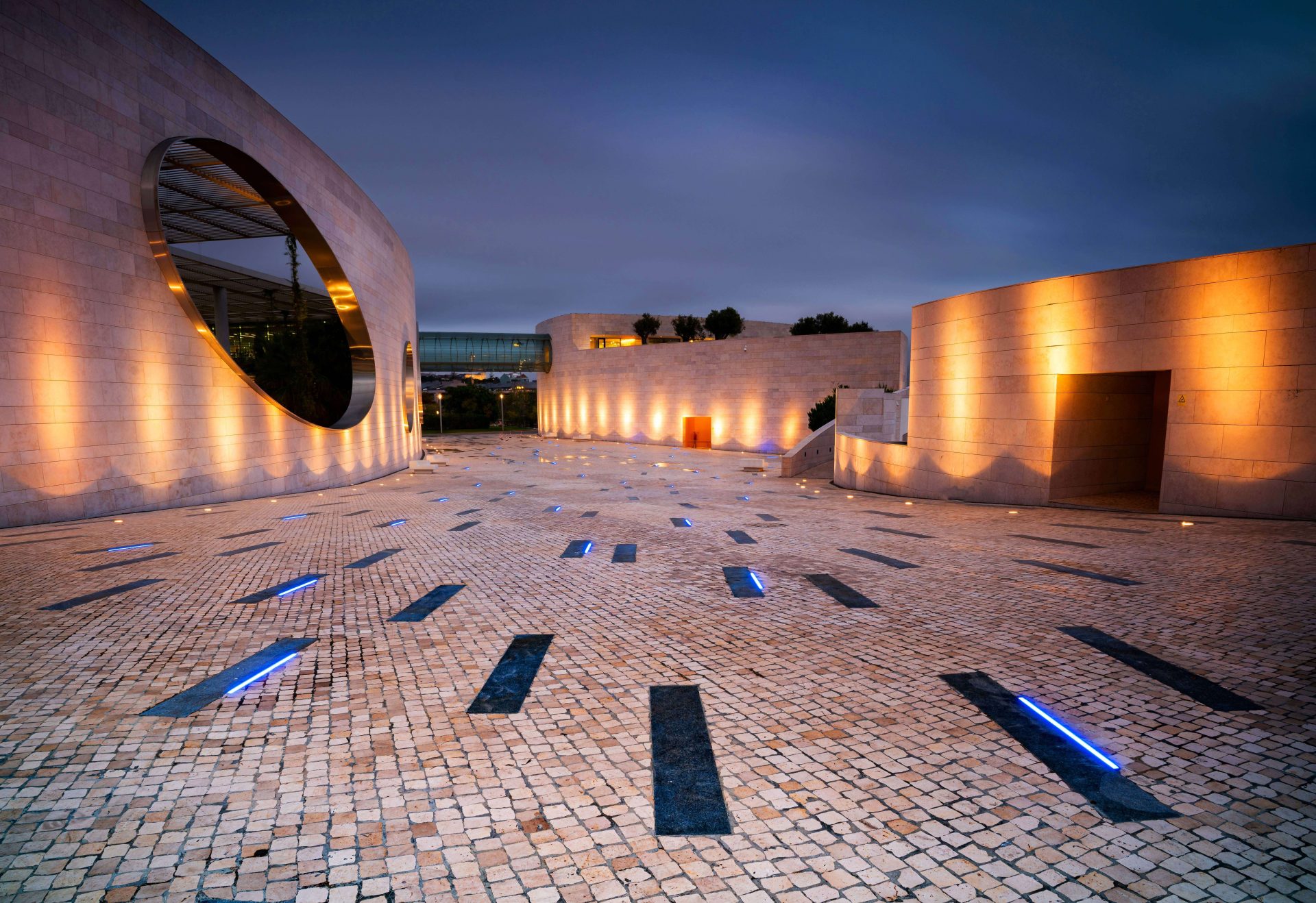
TAMRON 17-28mm F2.8 (Model A046) | Focal length: 26mm | Exposure: F4 | Shutter Speed: 1/800sec | ISO: 100
For tall structures such as the high-rises of the Johannesburg skyline, shoot vertically in 2:3 to emphasise height and impact. Angling the camera upwards stretches the vertical lines towards the sky for extra drama. The 26mm framing here corresponds to about 17mm on APS-C.
When you want to capture a whole building with a wide-angle lens, 3:2 or 4:3 is the more common choice. These ratios hold the entire structure in a balanced frame and make it easier to bring out perspective.
For symmetrical buildings, a 1:1 square often shows off their geometry better than 3:2. A symmetrical Art Deco façade in Durban, or its rows of repeating balconies, suits the square format well, as do other details built on patterns and repetition.
Knowing where your photos will end up – in a frame, on social media or alongside video – helps you choose the aspect ratio that suits them best. Here are the ratios that work for the most common uses.
The most common photo size at South African labs, 10 × 15 cm, is exactly 3:2, so images shot on a camera's standard setting print full-frame without cropping. Other sizes are less forgiving. A 13 × 18 cm print is about 1:1.4, and A4 (210 × 297 mm) has an aspect ratio of 1:√2, or about 1:1.414.
That means a 3:2 or 4:3 image printed on A4 will need either white borders along one pair of edges or cropping from the other. If you know you will be printing, frame a little more loosely than the final composition you want, leaving yourself room to crop.
Every social platform has its own preferred shapes, and knowing them helps you avoid unwanted automatic cropping. In South Africa, WhatsApp Status and Facebook are widely used alongside the platforms below; WhatsApp Status, like other full-screen stories, uses a vertical 9:16 frame.
[Editor note: verify current platform aspect ratio specifications before publishing]
Alongside the square 1:1 format, Instagram feed posts support 4:5 portrait and 1.91:1 landscape images, and the platform has expanded its support for taller portrait images. Stories and Reels use a vertical 9:16 frame that fills the phone screen, so shoot them in portrait orientation. For feed posts, setting your camera to 4:5, or composing with room to crop to it later, works well.
X supports a range of landscape ratios, including 3:2, 4:3, 2:1 and 16:9, while 3:4 tends to display well for portrait images on the timeline. When you post several images together, keeping them all at the same aspect ratio gives the post a neater, more consistent look.
On YouTube, the thumbnail does much of the work of persuading people to click. Thumbnails use a 16:9 horizontal format, the same as standard video, so a frame from the video itself can double as the thumbnail. Because thumbnails often appear at a small size in search results and suggested videos, a simple, bold composition stands out best.
YouTube Shorts use a vertical 9:16 format, like Instagram Reels and TikTok. If you plan to publish on YouTube, it pays to consider vertical versions of your content as you shoot.
The standard aspect ratio for video on interchangeable-lens cameras is 16:9 widescreen, which underpins most video standards, including HD, Full HD and 4K. For viewing on a TV or monitor, 16:9 is the natural choice. Short-form platforms such as Instagram Reels, YouTube Shorts and TikTok, however, are dominated by vertical 9:16.
If you shoot stills and video of the same subject, keeping both at 16:9 makes editing smoother. When you shoot a landscape, for example, 16:9 stills sit seamlessly alongside the video footage.
Finally, here is how to change aspect ratio in photos. There are two main approaches: setting it in camera before you shoot, or cropping to a new ratio when you edit.
On most cameras, the aspect ratio setting sits in the shooting menu, under a heading such as "Image Size" or "Aspect Ratio". The exact location varies between manufacturers and models.
Setting the ratio in camera means you see the final framing on the screen or in the viewfinder as you shoot. If you shoot RAW, the chosen ratio is usually recorded as a tag in the file's metadata, and in most cases the full sensor area is still saved. That means you can switch to a different ratio later in editing software, although the exact behaviour depends on the camera manufacturer.
Editing software and smartphone apps all include a crop tool, usually labelled "Crop" or "Trim", where you can set the aspect ratio. Most offer presets such as 3:2, 4:3 and 16:9.
If you expect to crop later, compose a little more loosely when you shoot, which gives you room to adjust. Bear in mind, though, that cropping discards pixels and reduces the resolution available for printing or display, so it is best to frame as close to your final composition as you can in camera.
Aspect ratio is far more than a measurement of width against height; it shapes the impression every photo makes. Matching the ratio to your subject helps you convey its appeal more effectively. Beyond the standard setting, experiment with different ratios in camera and with crops in the edit, and notice how much the feel of an image can change.